BatchEdits
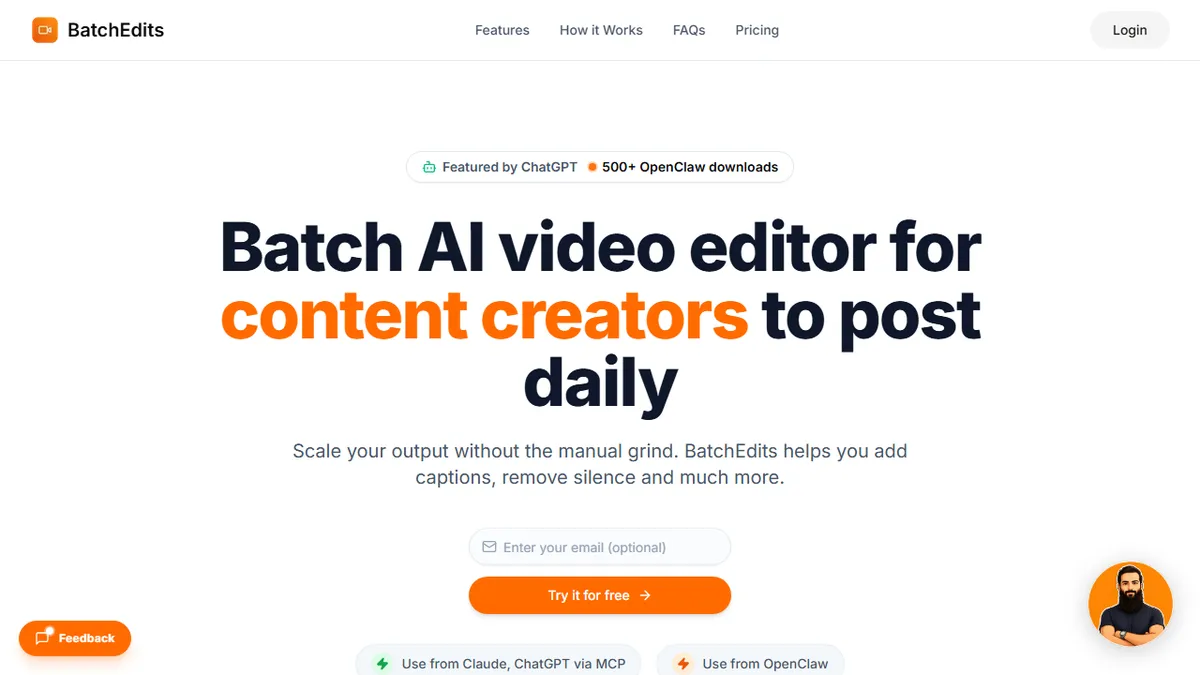
Bulk AI video editor that processes up to 50 clips in parallel
In short
BatchEdits automates repetitive video editing tasks like captioning, silence trimming, and reformatting for up to 50 clips at once. It is best for solo creators and small agencies seeking high-volume short-form content production without monthly subscriptions.
Solo creators, podcast clippers, and small social agencies who publish high volumes of short-form video and need captioning, silence trimming, and platform reformatting done in bulk without a monthly subscription.
Editors who need a real timeline, multi-track audio, transitions, B-roll, or motion graphics, and anyone who reworks cuts frequently — export credits make iteration expensive.
BatchEdits is a browser-based bulk video editor built around a single premise: for creators trying to scale on TikTok, Reels, Shorts, and podcasts, volume beats polish, and manual per-clip editing is what kills throughput. The tool lets you drop in up to 50 videos at once and applies a common editing recipe — auto-captions, silence removal, and platform-specific cropping/exports — across the whole batch in parallel rather than one at a time. Auto-captions run through an AI transcription pipeline advertised at 95% accuracy across 50+ languages, and silence detection uses a configurable threshold so you can tune how aggressively dead air gets cut. Export presets cover the usual vertical/square/horizontal targets for TikTok, Instagram Reels, YouTube Shorts, and long-form YouTube. A distinctive feature is the MCP (Model Context Protocol) integration, which lets you drive BatchEdits from Claude, ChatGPT, Cursor, or Windsurf — so an agent workflow can queue a folder of raw recordings, request captions and silence trimming, and get platform-ready exports back without opening the web UI. Pricing is unusual for the category: everything is a one-time lifetime purchase measured in export credits (15 credits for $15 through 1,000 for the $249 Agency tier), rather than a monthly subscription, which suits creators with bursty workloads or a defined publishing plan. The ideal user is a solo creator, podcast clipper, or small social agency who is spending hours per week on repetitive post-production and wants a batch pipeline that handles the boring 80% — trimming, captioning, reformatting — so human editing time can be reserved for thumbnails, hooks, and B-roll.
BatchEdits is a sharply scoped tool that knows exactly which chore it is solving: the repetitive captions-plus-silence-plus-reformat pass that eats a creator's week. The lifetime credit pricing is a genuinely differentiated commercial model, and the MCP hook makes it one of the few video editors that fits naturally into an agent workflow. It is not a replacement for a real NLE, and iteration-heavy editors will burn credits fast, but for its intended user the throughput case is real.
— The AI Tool Bible editorial team
Pros
- ✅ True batch processing — queue up to 50 videos and edit them in parallel instead of one at a time
- ✅ Lifetime one-time pricing (from $15) is refreshingly different from the SaaS subscription default in this category
- ✅ Auto-captions cover 50+ languages with claimed 95% accuracy, useful for multilingual creators
- ✅ Configurable silence-removal threshold rather than an opaque one-size-fits-all cut
- ✅ Platform export presets for TikTok, Reels, Shorts, and YouTube remove manual crop/resize work
- ✅ MCP integration lets Claude, ChatGPT, Cursor, or Windsurf drive the editor as an agent tool
- ✅ 3 free videos with no credit card make it easy to sanity-check output quality first
Cons
- ⚠️ Credits are consumed per export, so iterating on cuts or re-rendering variants burns your quota
- ⚠️ No conventional REST API documented — programmatic access is via MCP only
- ⚠️ Editing recipe is limited to captions, silence removal, and reformatting; no timeline, transitions, B-roll insertion, or music syncing
- ⚠️ Lifetime plans cap at 1,000 exports; high-volume agencies will hit the ceiling and need to repurchase
- ⚠️ Underlying transcription and silence-detection models are not disclosed, so accuracy claims are hard to independently benchmark
- ⚠️ Web-only with no desktop app means large uploads depend on your connection and browser stability
Use cases
Frequently asked
- How many videos can BatchEdits process at once?
- The tool allows users to drop in up to 50 videos at once and applies a common editing recipe across the whole batch in parallel.
- What specific editing features does BatchEdits include?
- It includes auto-captions with 95% accuracy across 50+ languages, configurable silence removal, and platform-specific cropping and exports for TikTok, Reels, Shorts, and YouTube.
- How is BatchEdits priced?
- Pricing is a one-time lifetime purchase measured in export credits, ranging from $15 for 15 credits to $249 for 1,000 credits, rather than a monthly subscription.
- Can BatchEdits be integrated with AI agents?
- Yes, it features MCP integration that allows users to drive the editor from Claude, ChatGPT, Cursor, or Windsurf for agent-driven video editing workflows.
- Is BatchEdits suitable for complex video editing?
- No, it is not for editors who need a real timeline, multi-track audio, transitions, B-roll, or motion graphics, as the editing recipe is limited to captions, silence removal, and reformatting.
Explore related
Compare with similar tools
All in Video →Runway
FeaturedPro-grade AI video editor and Gen-4 generation.
Sora
FeaturedOpenAI's flagship text-to-video model.
Luma Dream Machine
Fast, accessible text-to-video with strong camera control.
HeyGen
Avatar video + lip-sync translation at scale.
Google Veo
Google DeepMind's flagship text-to-video model with native audio generation and cinematic camera control.
Higgsfield
AI video and image generation suite that aggregates 30+ frontier models under one workflow.