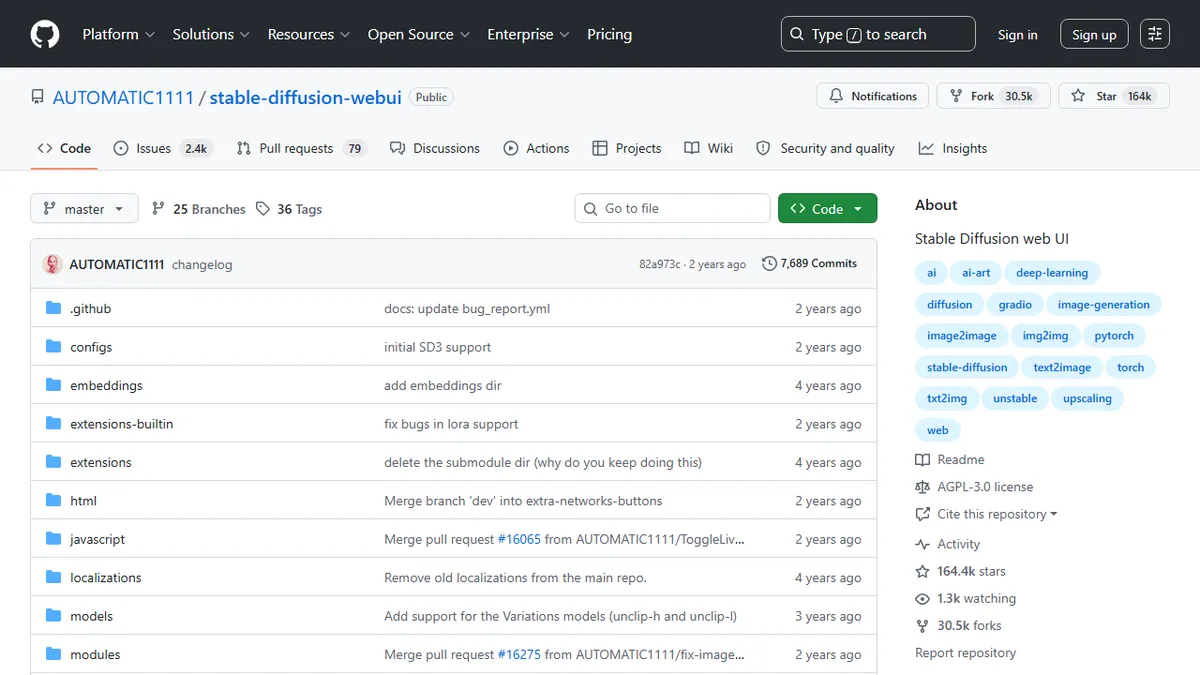
Stable Diffusion Web UI (AUTOMATIC1111)
The de facto local Stable Diffusion power-user UI.
In short
This tool provides a comprehensive local front-end for Stable Diffusion, exposing detailed parameters for text-to-image, inpainting, and model training. It is best for hobbyists and researchers seeking full control over local generation without subscription fees.
Hobbyists, illustrators, and researchers who want a free, local, fully controllable Stable Diffusion setup with access to every community model, LoRA, and extension.
Non-technical users who want a one-click hosted product, teams needing SLAs and support, or anyone chasing the newest diffusion architectures on release day.
AUTOMATIC1111's Stable Diffusion Web UI is the most widely used local front-end for running Stable Diffusion image models on your own hardware. It wraps the diffusion pipeline in a Gradio browser UI that exposes essentially every knob the community has invented: txt2img, img2img, inpainting, outpainting, batch generation, X/Y/Z parameter grids, prompt attention weighting and prompt editing mid-generation, negative prompts, seed variation and subseed strength, face restoration (GFPGAN, CodeFormer), a stack of upscalers (RealESRGAN, ESRGAN, SwinIR, Latent), checkpoint merging, CLIP interrogation, and training workflows for textual inversion, hypernetworks, and LoRA. It loads SD 1.x, SD 2.x, and community-tuned checkpoints in .safetensors, and a huge third-party extension ecosystem adds ControlNet, regional prompting, animation, video, upscaling pipelines, and integrations. Typical workflows are experimenting with prompts and samplers at low step counts, then producing final images with an upscaler pass and optional inpainting cleanup; power users chain it into ControlNet for pose or depth control, or use LoRAs to steer style and characters. It is the reference tool for anyone learning how diffusion parameters actually behave, and remains a common daily driver for illustrators, concept artists, indie game devs, and researchers who want reproducible local generation without a subscription.
Still the reference implementation for learning how Stable Diffusion actually works — every parameter you read about in a paper or Reddit thread is a slider here. In 2026 I lean toward ComfyUI for cutting-edge model support and reproducible pipelines, but AUTOMATIC1111 remains the friendliest way to sit down and just make images with a local checkpoint.
— The AI Tool Bible editorial team
Pros
- ✅ Runs entirely locally, so there are no per-image fees or content-policy filters imposed by a hosted API.
- ✅ Supports nearly every Stable Diffusion checkpoint, LoRA, VAE, and embedding format the community produces.
- ✅ Massive extension ecosystem (ControlNet, Regional Prompter, Dynamic Prompts, ADetailer, etc.) covers advanced workflows.
- ✅ Fine-grained control over samplers, CFG, seeds, prompt weighting, and prompt scheduling that hosted tools rarely expose.
- ✅ Built-in training paths for textual inversion, hypernetworks, and LoRA on your own datasets.
- ✅ Works on modest hardware (reports of usable output at 4GB VRAM with low-precision modes) and supports Apple Silicon.
Cons
- ⚠️ Setup requires Python 3.10, Git, and matching GPU drivers, which is a real barrier for non-technical users.
- ⚠️ The Gradio UI is dense and inconsistent; discoverability of features is poor compared to newer node-based tools like ComfyUI.
- ⚠️ Development cadence has slowed and it lags behind ComfyUI on newer model architectures (SDXL refinements, SD3, Flux support arrives late or via extensions).
- ⚠️ No first-party hosted version — you are responsible for GPU cost, updates, and extension conflicts.
- ⚠️ Extension quality varies wildly and a bad extension can break the whole install until you disable it.
Use cases
Frequently asked
- Is Stable Diffusion Web UI free to use?
- Yes, it is free and open-source under the AGPL-3.0 license. Users must provide their own compute resources, such as a local GPU or rented cloud instance.
- What types of models does it support?
- It supports Stable Diffusion 1.x, 2.x, and SDXL models, as well as community fine-tunes in .safetensors format. It also handles LoRAs, VAEs, and embeddings.
- Can I train custom models using this interface?
- Yes, the tool includes built-in workflows for training textual inversion, hypernetworks, and LoRAs on your own datasets.
- What are the system requirements for setup?
- Setup requires Python 3.10, Git, and matching GPU drivers. It can run on modest hardware with as little as 4GB VRAM using low-precision modes and supports Apple Silicon.
- Who is this tool not recommended for?
- It is not ideal for non-technical users seeking one-click hosted products, teams requiring SLAs, or those needing immediate support for the newest diffusion architectures.
Explore related
Compare with similar tools
All in Image Generation →Midjourney
FeaturedThe gold standard for aesthetic AI image generation.
Flux
FeaturedBlack Forest Labs' open-weights image model — rivals Midjourney quality.
Stable Diffusion
Open-source image generation — run anywhere, fine-tune anything.
Nano Banana (Gemini Image)
Google DeepMind's Gemini-powered image generation and conversational editing model family
DALL·E 3
OpenAI's image model — strong on prompt adherence and text-in-image.
Canva Magic Studio
Canva's all-in-one AI creative suite for design, image, video, copy, and presentations